Web design is moving beyond static pages built to look the same for every visitor. Strong websites now adapt to user behavior, device preferences, content needs, and the context of each interaction.
This shift is being driven by higher expectations, artificial intelligence (AI), and browsers that support richer experiences. Every site must remain fast, accessible, mobile-friendly, and easy to use.
The web design trends in 2026 reflect that balance. Personalization, motion, video, 3D graphics, and conversational features matter only when they help visitors understand an offer and take the next step with less friction. The same rule applies to the latest web design trends.
Why Web Design Trends Matter in 2026
Design affects how quickly visitors understand a page, trust the business, and continue browsing. Google recommends strong Core Web Vitals for loading speed, responsiveness, and visual stability, while emphasizing that page experience works alongside relevant content.
Modern websites must now meet four baseline expectations:
- Mobile-First Layouts: Content and navigation work naturally on smaller screens.
- Fast Performance: Media and scripts do not delay the page.
- Accessible Interaction: The site supports keyboards, screen readers, and user settings.
- Clear Conversion Paths: Calls to action are easy to identify.
The best internet design trends strengthen these fundamentals rather than compete with them. Let’s break them down. Here are the ten trends shaping web design in 2026.
1. AI-Powered Personalization
AI can adjust recommendations, content, and interface priorities based on user behavior. An e-commerce visitor may see relevant products, while a returning B2B buyer may receive case studies suited to their industry.
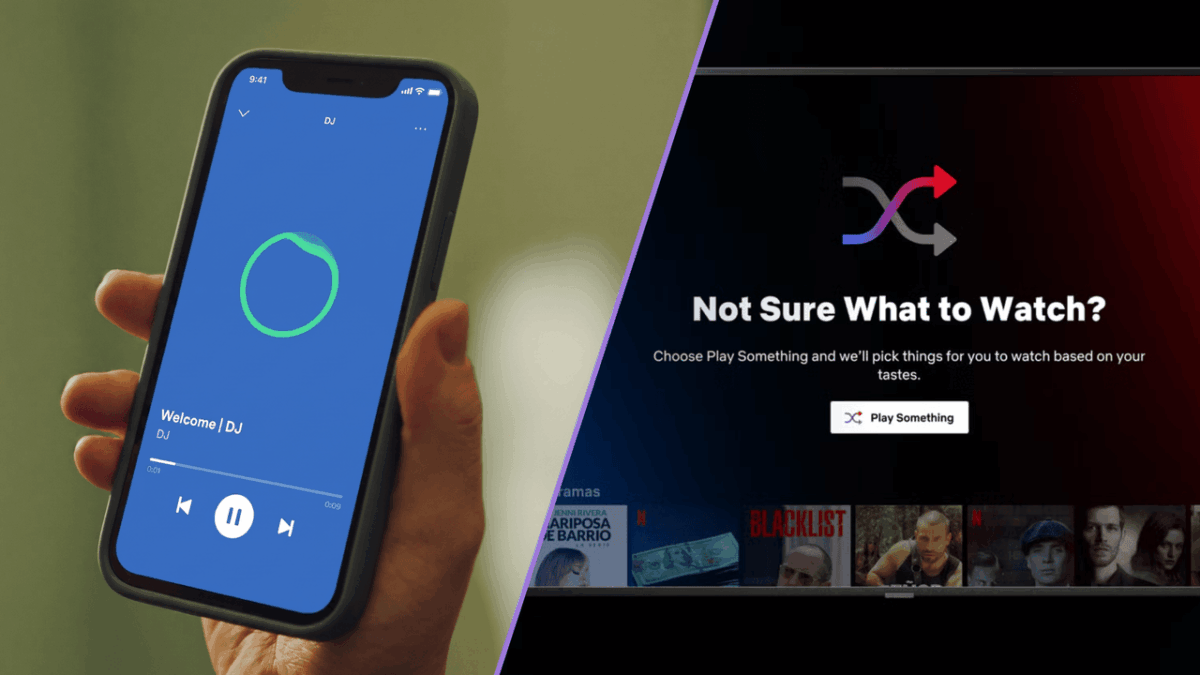
Netflix and Spotify show how personalization can become part of the interface itself. Spotify’s AI DJ combines recommendation technology, generative AI, and user feedback to refine its recommendations.
Useful starting points include smarter search, relevant resources, location-based content, and personalized product suggestions.
2. Modern UI Design With Minimalist Interfaces
Minimalism remains central to modern UI design, but it is becoming more expressive. Designers are combining generous white space with oversized typography, selective color, strong imagery, and clear hierarchy.
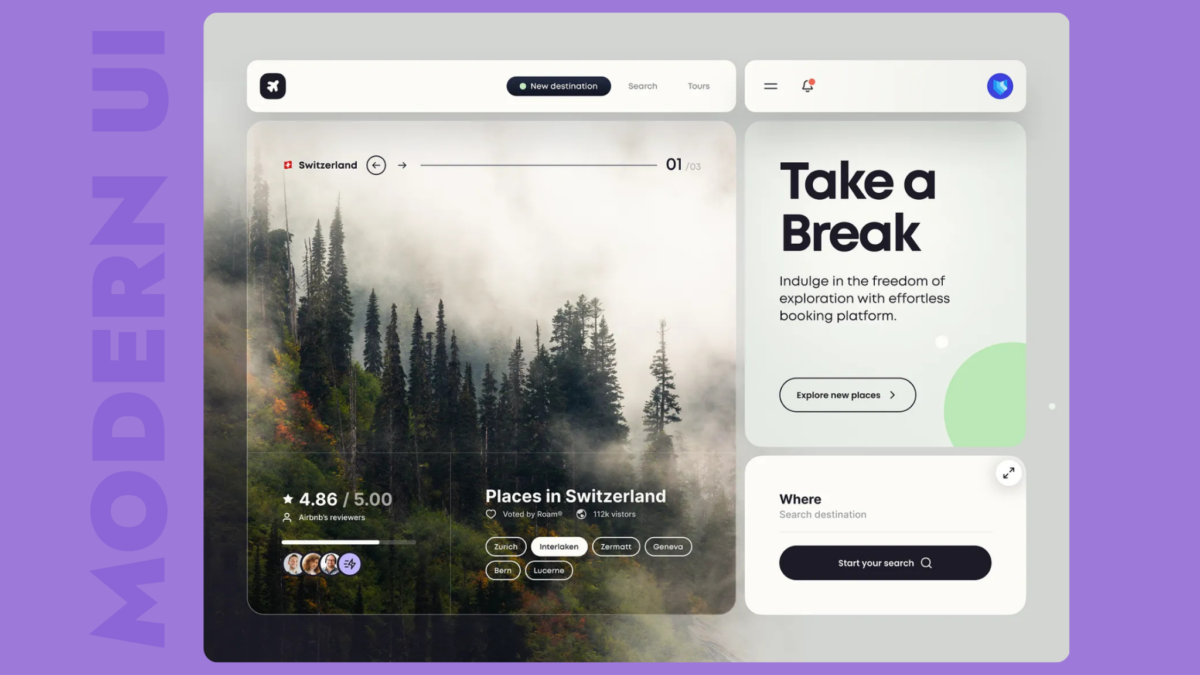
Effective minimalist design usually includes:
- Focused Navigation: Fewer choices with clearer labels
- Bold Typography: Headings that organize the page
- Intentional White Space: Room between sections
- Limited Visual Competition: One primary message per screen
It should feel simple, not empty.
3. Interactive Micro-Animations
Micro-animations give immediate feedback. A button changes when clicked, a card responds to a hover, or a progress indicator confirms that a form is moving forward.
Motion should guide attention or explain an action, not delay access to content. Websites should also respect the “prefers-reduced-motion” setting, which allows users to request fewer nonessential animations.
4. Audio-Visual Websites
Video-first landing pages, product demonstrations, and interactive storytelling are making audio-visual websites more common across hospitality, technology, entertainment, and consumer brands.
Audio-visual content can explain a product quickly and create an emotional connection. Background video should be compressed, muted by default, and easy to pause. Important information should also be available through text, captions, transcripts, or static alternatives. Sustainable Web Design guidance recommends optimizing and selectively loading media.
5. Dark Mode and Adaptive Themes
Websites can detect light or dark preferences through the “prefers-color-scheme” media feature. Dark mode can improve comfort in low-light settings and may reduce power use on organic light-emitting diode (OLED) displays.
A good adaptive theme requires more than reversed colors. Typography, images, contrast, and component states must be tested so the brand remains clear in both modes.
6. Immersive 3D Elements
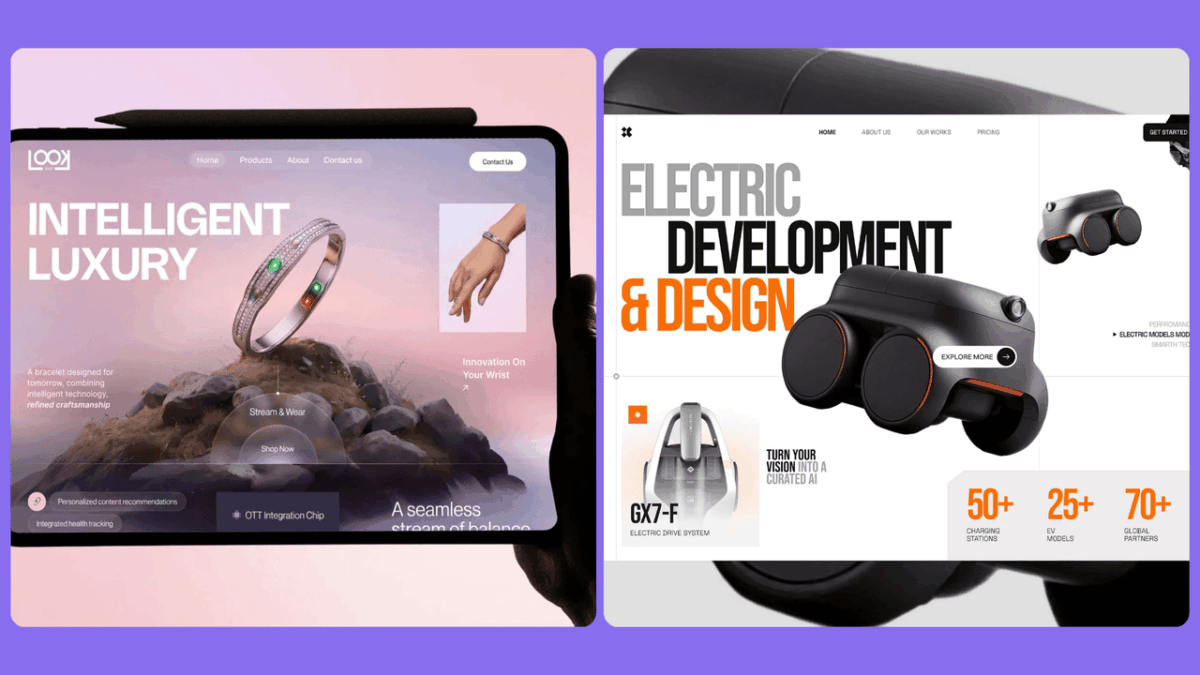
Three-dimensional illustrations and interactive product models help users understand products that benefit from rotation, configuration, spatial context, or technical explanation.
The risk is performance. Use 3D where it improves understanding or buying confidence, compress assets, load them only when needed, and provide a static fallback for slower devices.
7. Voice-Friendly and Conversational Interfaces
AI assistants, smarter chatbots, and natural-language search allow visitors to describe what they need instead of guessing which menu category contains it.
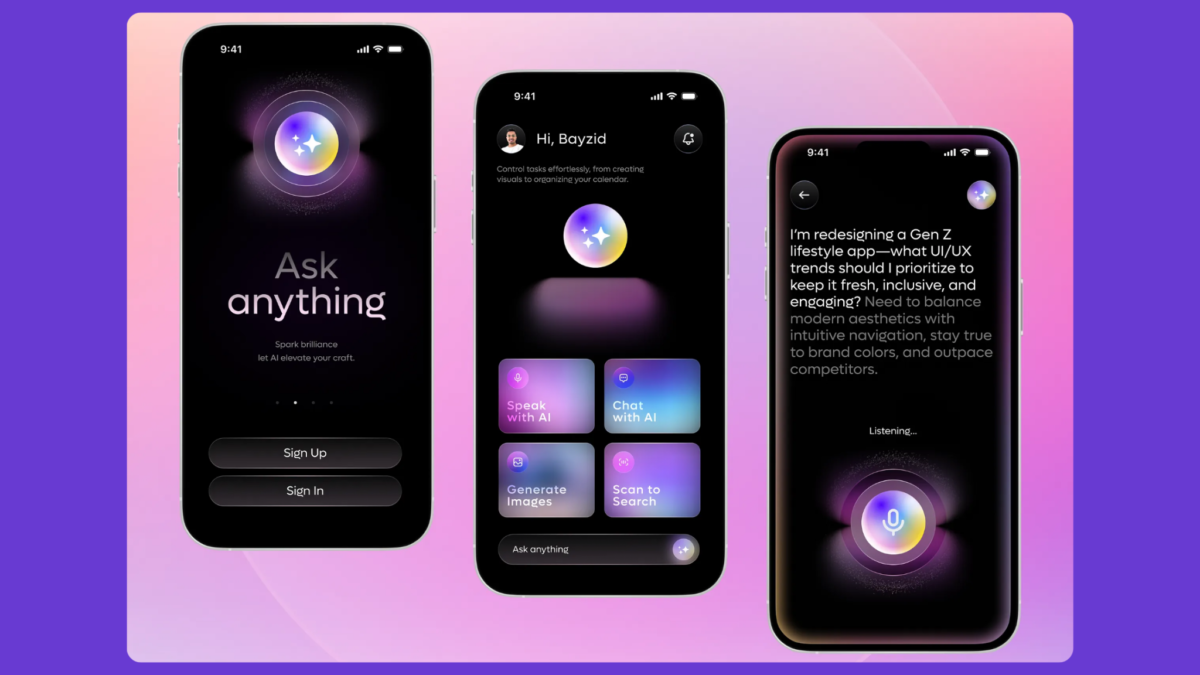
A user might type, “I need a solution for a 50-person remote team,” and receive relevant services and resources. Voice-friendly design also favors clear language, descriptive headings, concise answers, and structured FAQs that are easy for people and search systems to interpret.
8. Sustainable and Fast Web Design
Speed and sustainability support many of the same decisions. Lightweight pages require less data transfer, load faster on mobile connections, and place less demand on devices and infrastructure.
The World Wide Web Consortium’s (W3C) web sustainability guidelines encourage teams to reduce unnecessary content, optimize media, and control resource-heavy features.
Within broader internet design trends, practical steps include:
- Compressing images, video, and audio
- Removing unused scripts and third-party tools
- Using efficient fonts and reusable components
- Lazy-loading noncritical media
- Considering lower-carbon hosting
Performance should be planned during design, not repaired after launch.
9. Inclusive and Accessible Design
Accessibility is becoming a core quality standard rather than a final compliance check. Web Content Accessibility Guidelines (WCAG) 2.2 covers areas including contrast, keyboard access, focus visibility, target size, and alternatives for non-text content.
Priorities include keyboard navigation, readable contrast, screen-reader-friendly structure, captions, transcripts, and visible focus states. These improvements also help mobile users and people browsing in distracting or low-bandwidth environments.
10. Custom Illustrations and Authentic Branding
Template-based design can make unrelated businesses look identical. Custom illustrations, original iconography, branded diagrams, and distinctive photography help a company communicate its own point of view.
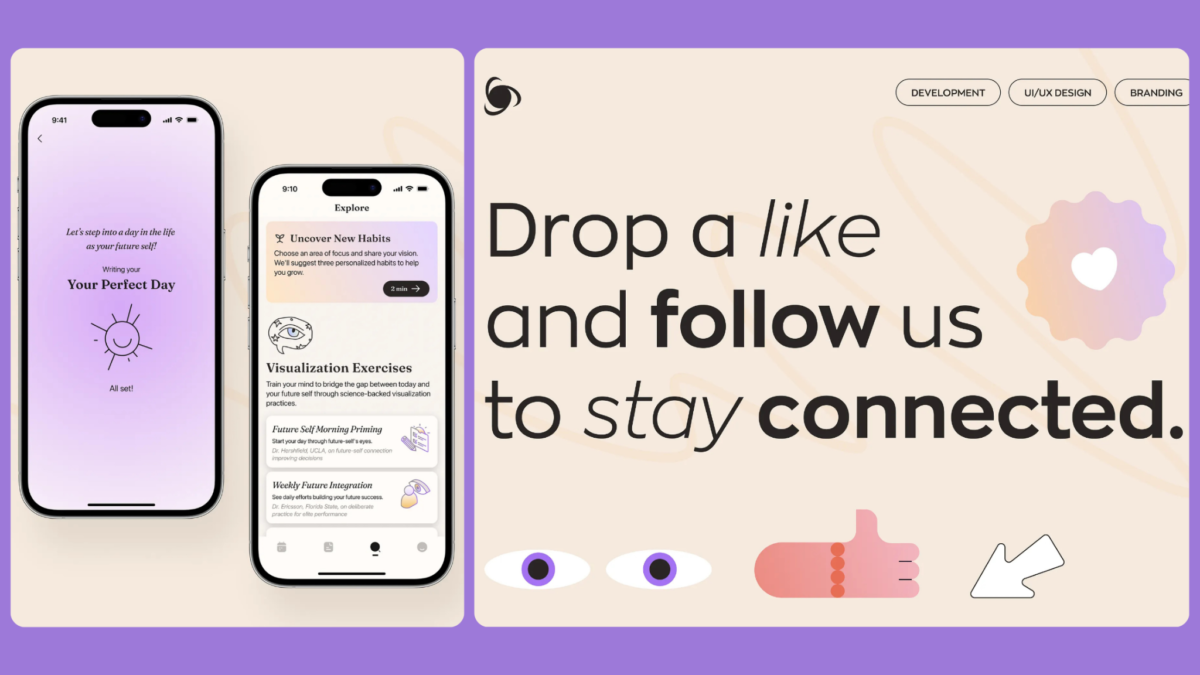
The strongest visuals also explain a process, product comparison, customer journey, or industry concept. A repeatable visual system can create consistency across the website and other brand channels.
Best Practices for Following Web Design Trends
Trends are useful inputs, not a design strategy. Before adopting one, connect it to a specific user or business need.
- Prioritize Usability Over Novelty: Familiar interactions are often easier to use.
- Balance Creativity With Performance: Set limits before adding video, animation, or 3D.
- Test Across Devices: Review real phones, tablets, browsers, and connection speeds.
- Protect Brand Consistency: New features should still feel like the same company.
- Measure User Behavior: Track engagement, conversions, and drop-off before and after changes.
A trend deserves to stay only if it improves the experience.
Common Web Design Mistakes to Avoid
Many redesigns underperform because they add complexity without solving a user problem. Common mistakes include:
- Overusing animation
- Hiding navigation
- Autoplaying sound
- Ignoring accessibility
- Loading oversized media
Clutter is still clutter, even when every individual element looks modern. Give each feature a purpose and keep the page hierarchy clear.
Which Web Design Trends Should You Adopt?
The right choices depend on your audience and goals. A professional services firm may benefit most from stronger typography, accessible navigation, and personalized case studies. An e-commerce brand may gain more from recommendations, product video, and interactive 3D.
Use three questions to guide the decision:
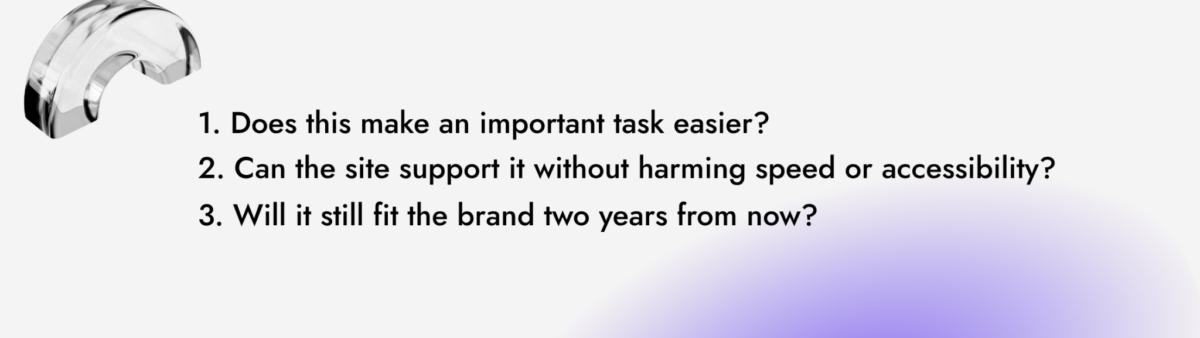
Adopt fewer trends, execute them well, and build components that can evolve without a full redesign.
Design for What Comes Next
The leading web design trends in 2026 point toward websites that are more personal, visual, adaptive, and responsive to user preferences. Yet the fundamentals remain the same: people want pages that load quickly, communicate clearly, and make the next step obvious.
AI personalization, modern UI design, micro-animations, 3D graphics, and audio-visual websites can improve engagement when they support a real customer need. Accessibility, performance, and mobile usability determine whether those ideas succeed.
Digilite helps U.S. businesses turn design direction into websites built around usability, brand clarity, performance, and conversion. Explore our website design and development services to plan a site that looks current and works as a long-term business asset.